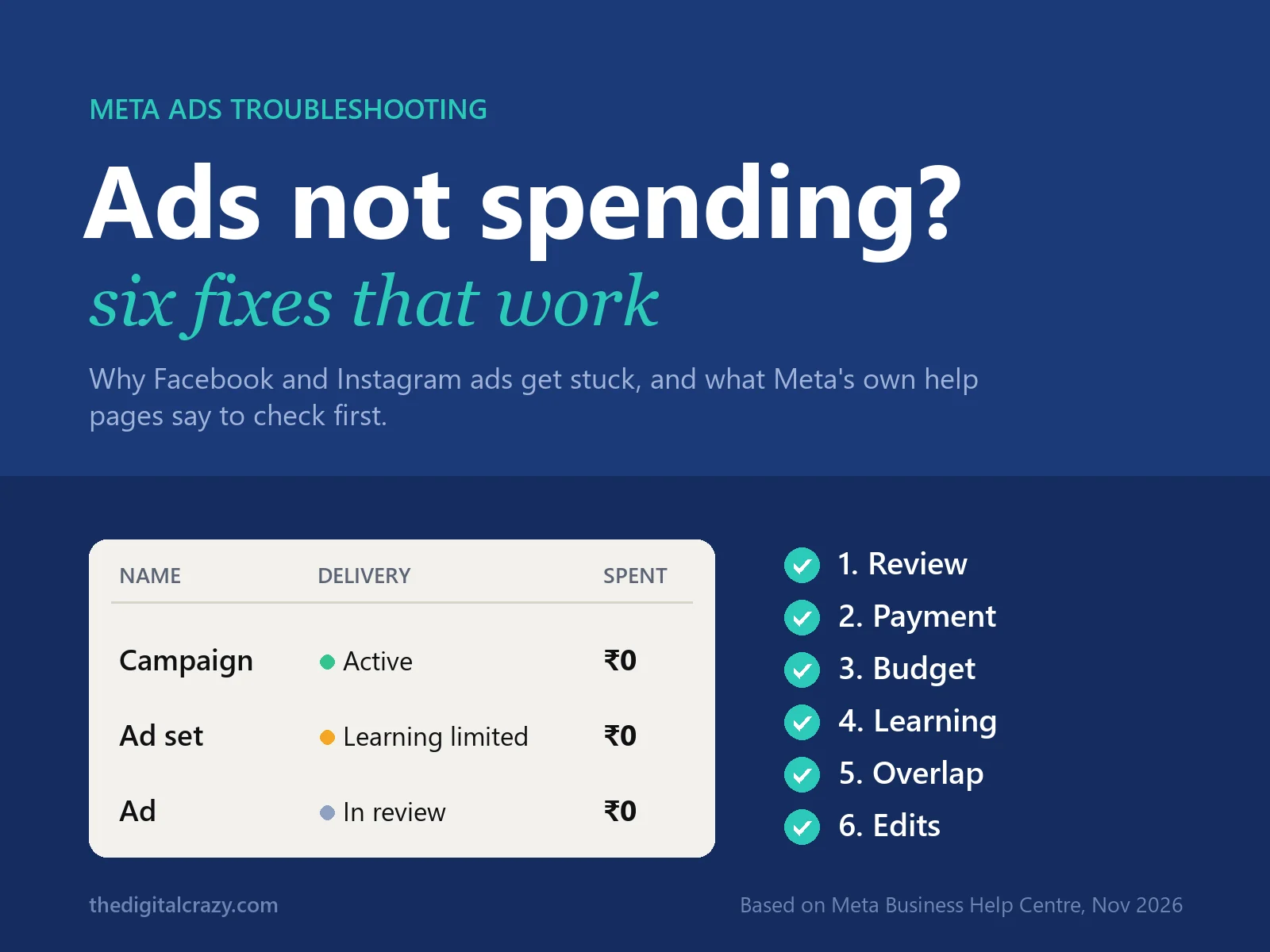
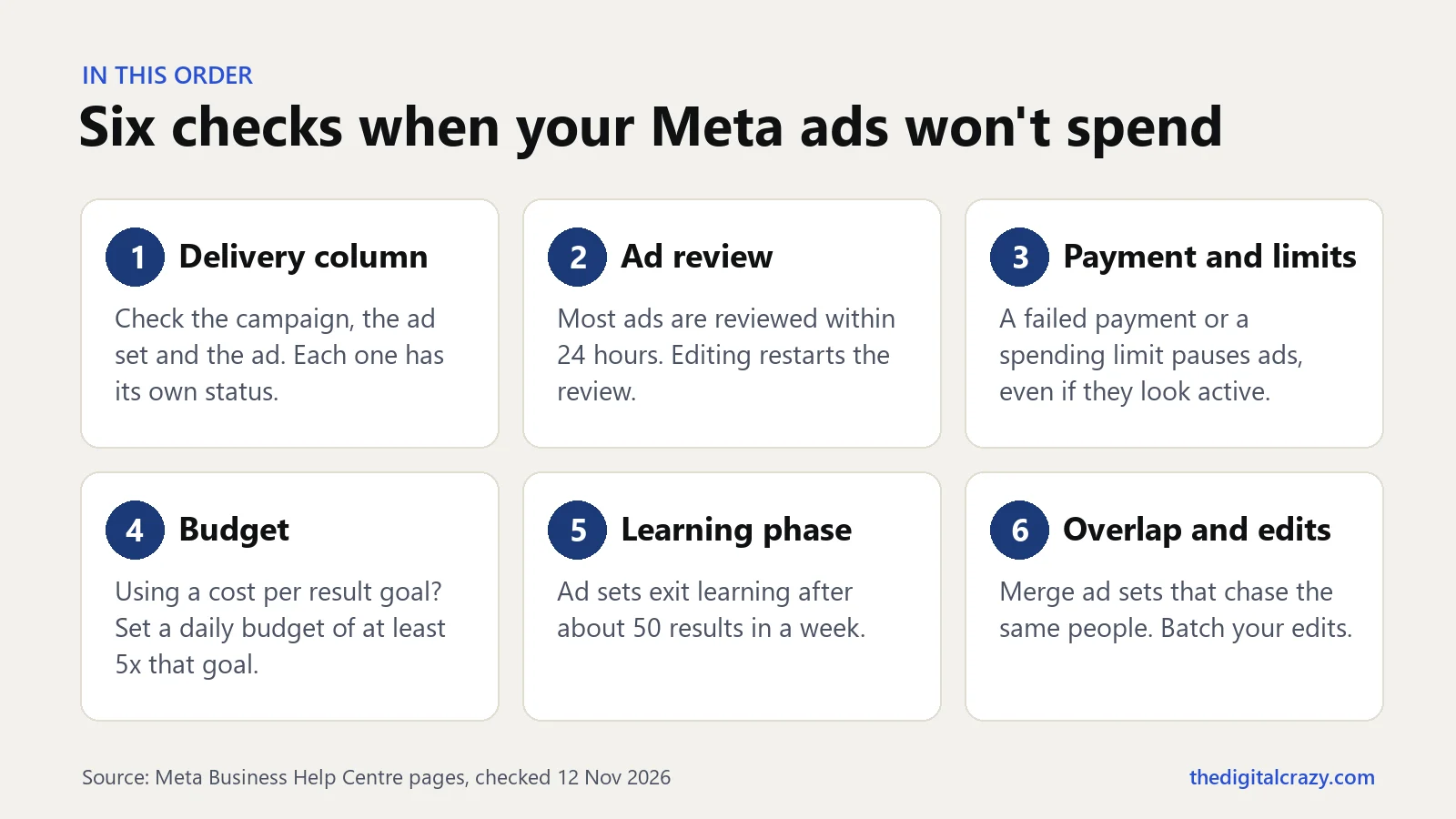
Short answer: Facebook ads not delivering or not spending usually comes down to one of six things. The ad is in review or was rejected. A failed payment or spending limit has paused the account. The budget is below Meta's minimum. The ad set is stuck in "Learning limited". Your own ad sets compete with each other. Or frequent edits keep resetting Meta's learning. Meta's help pages explain each one, and checking them in this order usually finds the problem fast.
Start with the Delivery column, at all three levels
If you see Facebook ads not delivering, read the Delivery column in Meta Ads Manager before you change anything. Every campaign, ad set and ad has a status there. The ones that matter most:
- Error: the campaign, ad set or ad can't run at all until you fix a problem.
- Warning: it is running, but with limited delivery.
- In review or Pending: Meta is still checking the ad.
- Rejected: the ad doesn't meet Meta's Advertising Standards.
- Learning limited: the ad set didn't get enough results to exit the learning phase.
- Completed: the scheduled end date has passed.
Meta notes that a campaign can look active while its ad set or ad is still in review. So check all three levels, and hover over any error or warning for details.
Fix 1: The ad is still in review, or was rejected
Meta reviews every ad against its Advertising Standards before it runs. The review starts again every time you edit the ad. Meta says most ads are reviewed within 24 hours, although some take longer. Ads can also be reviewed again after they go live.
If an ad is in review, wait, because editing it restarts the review. If it was rejected, read Meta's reason, fix the image, text or landing page, and request another review.
Fix 2: A failed payment or spending limit has paused the account
This explains the most confusing case of Facebook ads not spending: ads that look active but spend nothing. Meta's help pages say three things:
- When your payment method fails, your ads are paused and the ad account is disabled until you pay the amount due.
- When spending reaches the account spending limit you set, your ads pause. Meta sends a notification, but the ads still appear as active in Ads Manager.
- Meta also sets its own daily spending limit, which resets every day. If your ads stay paused after you pay, you may have hit that limit.
So open Billing and payments before you touch the campaign. Clear any unpaid amount, then raise or reset the spending limit if it has been reached.
Fix 3: The budget is below Meta's minimum
Meta needs a minimum budget to deliver ads consistently. It depends on your business vertical, bid strategy, optimisation event and currency. Ads Manager shows an alert when you fall short.
Two rules from Meta's budget guidance are worth remembering:
- Harder goals need more money. Optimising for purchases may need a bigger budget than optimising for landing page views.
- Use five times your target. If you set a cost per result goal, your daily budget should be at least five times that goal. Ask for leads at ₹200 each, and the ad set needs at least ₹1,000 a day.
Fix 4: The ad set is stuck in "Learning limited"
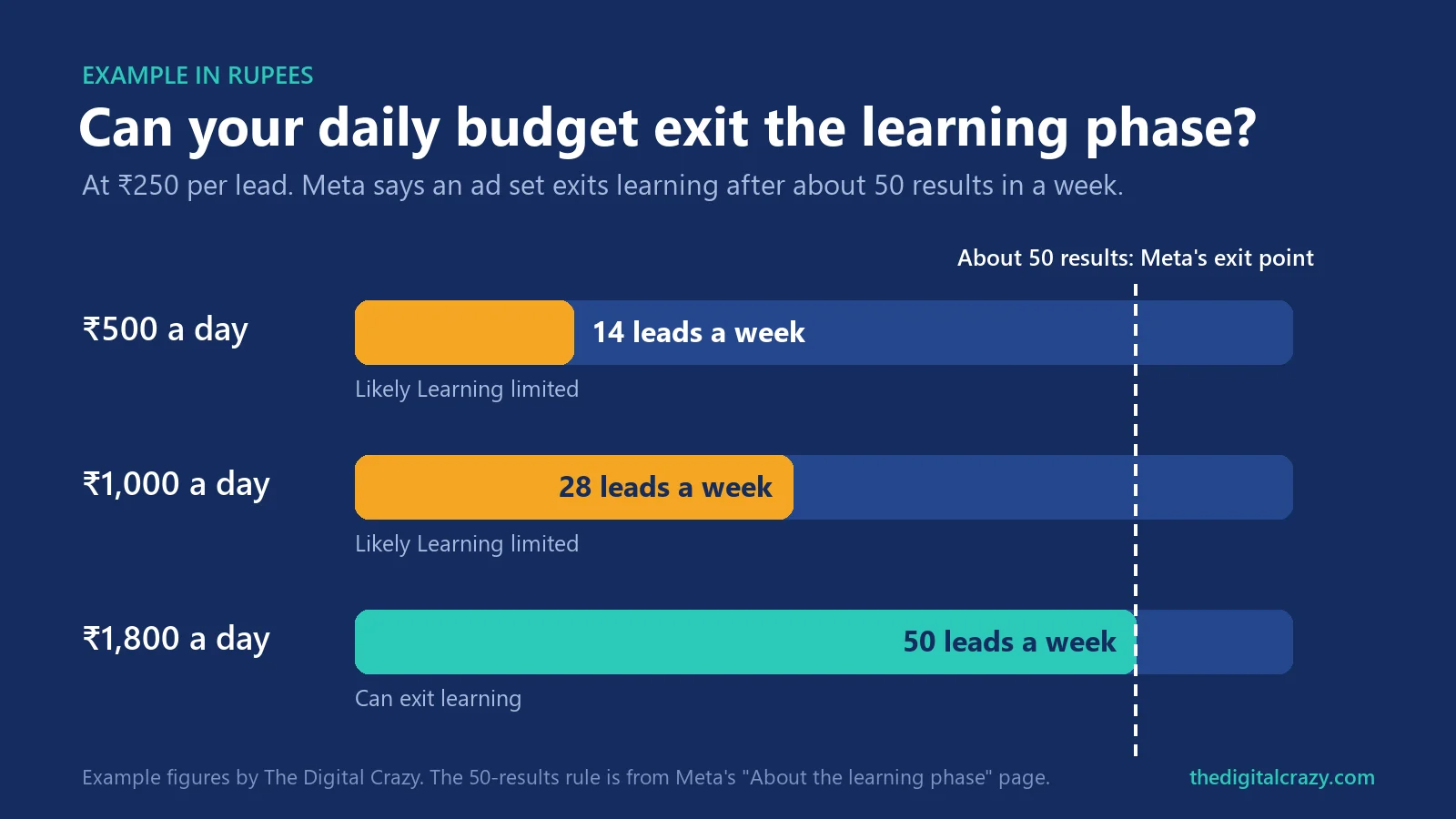
Every new or heavily edited ad set goes through a learning phase. Meta says an ad set usually exits it after about 50 results in the week after its last significant edit. During learning, results are less stable and the cost per result is usually higher.
If Meta expects an ad set to fall short of about 50 results in a week, the status changes to Learning limited. In Meta's words, this "isn't a penalty". It means your budget isn't being spent well with the current setup. Meta lists the usual causes: a small audience, a low budget, a low bid or cost control, high auction overlap, an event that rarely happens, or too many ads at once.
In rupees: say one lead costs you ₹250. Fifty leads a week then costs about ₹12,500, or roughly ₹1,800 a day. An ad set on ₹500 a day buys about 14 leads a week at that price. It will stay Learning limited however good the ad is.
Meta's fixes, in its own order:
- Combine ad sets and campaigns.
- Expand your audience.
- Raise your budget.
- Raise your bid or cost control.
- Choose an optimisation event that happens more often, such as add to basket instead of purchase.
Fix 5: Your own ad sets are competing with each other
When two of your ad sets target the same people, your ads can enter the same auction. Meta calls this auction overlap. Only your ad with the highest total value then competes, and your other ads sit out. Meta adds that running ads from separate ad accounts may not avoid this.
This is our view, not a Meta rule: five small ad sets aimed at the same city and age group mostly wait for the same people. If several show Learning limited, merge them and give one ad set the combined budget.
Fix 6: Stop editing every day
Meta counts a change as a significant edit when you pause an ad set or change its optimisation event, audience or creative. Changes to budget or bid strategy can count too, depending on their size. Each significant edit can send the ad set back into learning.
Meta advises waiting until learning ends before you edit, and skipping edits you don't need. So make changes in batches, about once a week.
How Meta decides whose ad to show
All six fixes come back to the ad auction. Meta runs billions of auctions every day, and the winner is the ad with the highest total value. That value combines your bid, how likely this person is to act on your ad, and the ad's quality.
Meta judges quality from people's feedback, such as hiding the ad, and from signs like withheld information, sensational wording and engagement bait. According to Meta's auction guide, a more relevant ad could win against ads with higher bids.
So if you still see Facebook ads not delivering after these fixes, look at the ad before you raise the budget. A clearer offer, a sharper first line or a real product video may be what the auction needs. Our content creation and video production teams can shoot and edit it for you. Our Andromeda 2.0 post explains how Meta now shortlists ads.
FAQs about Facebook ads not delivering
Why does my Facebook ad say active but spend nothing?
Check billing first. Meta says ads pause when a payment fails or when the account spending limit is reached, and after a spending-limit pause they can still show as active. If billing is fine, check the ad set status and the budget.
How long should I wait before changing a new ad set?
Until it collects about 50 results, Meta's rough point for leaving the learning phase. Editing earlier restarts learning.
Will a bigger budget fix Learning limited?
Sometimes. Meta lists a higher budget as one fix, next to combining ad sets, widening the audience and choosing a more frequent event. If the budget is split across many ad sets, merge them first.
About The Digital Crazy, a digital marketing company in Surat
The Digital Crazy is a Surat-based digital marketing company, with our office in Athwa, Surat. The team is led by founder Divya Patel. We work with businesses across Gujarat and with brands abroad, including Canada and the USA. We speak English, Hindi and Gujarati, and every client gets a clear, transparent report each month.
We handle 360° digital marketing under one roof, so your ads, creative and website work as one plan:
- Get found: performance marketing, Facebook and Instagram ads, Google Ads and SEO.
- Get noticed: social media marketing, content creation, product and brand shoots, video editing, graphic design and influencer marketing.
- Get built: website development, landing pages, app development and UI/UX design.
- Get remembered: branding, online reputation and email marketing.
How our performance marketing service fixes ads that won't spend
When an ad account stops delivering, we don't simply raise the budget. Our performance marketing service looks at the whole path from ad to sale:
- Audit. We read the Delivery column at every level and check billing, limits, budgets and auction overlap.
- Restructure. We merge thin ad sets, set budgets that can exit learning and choose the right optimisation event.
- Refresh the creative. Our shoot, editing and design team makes new hooks, photos and videos when the ad itself is the problem.
- Track to the sale. We connect your leads to a CRM and your website tracking, so you can see which ads bring customers, not just clicks. You get a clear review every month.
We start with a small test budget and find out what a lead really costs. Only then do we suggest scaling up. We do not promise numbers before we have seen your account.
Are your ads not spending, or spending without results? Send us a message and we will tell you honestly what to fix first.
Sources
Every fact about Meta in this article comes from these official Meta Business Help Centre pages:
- View campaign, ad set or ad delivery status in Meta Ads Manager, Meta Business Help Centre.
- About ads in review, Meta Business Help Centre.
- Fix a failed payment issue on Meta, Meta Business Help Centre.
- About ad account spending limits, Meta Business Help Centre.
- Best practices for minimum budgets, Meta Business Help Centre.
- About the learning phase, Meta Business Help Centre.
- About learning limited, Meta Business Help Centre.
- Last significant edit, Meta Business Help Centre.
- Understand auction overlap, Meta Business Help Centre.
- About ad auctions, Meta Business Help Centre.